Matthew Klembara Internal tools & websites

Matthew Klembara · internal tools & websites

Customized apps or websites
for your business.

Three tools companies actually use, and three sample sites built to show what one can do. All six are below.

In production

Three tools that companies use to do their work today. Not prototypes, not pitches. The thing that opens when somebody starts their shift.

Figures altered These apps are in daily use, so every number, client name, and rate in these screenshots has been replaced with sample data. Layout and functionality are unchanged.
Agricultural products manufacturer

Nitrogen placement calculator

Replaced
A multi-tab Excel workbook that needed a laptop and a signal
Runs on
The phone in your pocket or the laptop in the office, fully offline on both
Used by
Field reps and agronomists, standing in the field
Status
Live

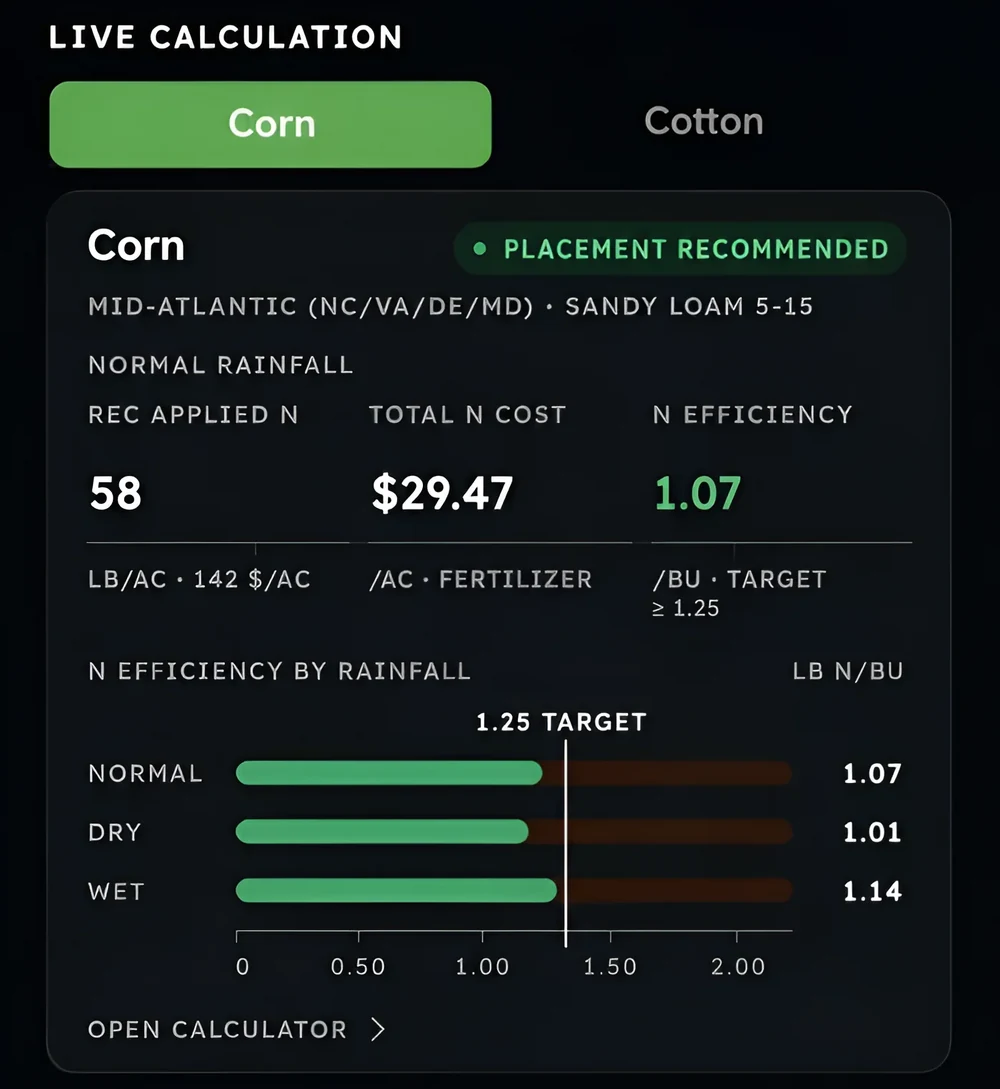
Corn and cotton, by region, soil type, and rainfall. It returns recommended applied nitrogen, total fertilizer cost, and nitrogen efficiency against the program target, plus a manure credit calculator and a side-by-side against the grower's current program. It installs to the home screen and keeps working when the bars drop to nothing, because that is where the decision actually gets made.

Overview screen showing recommended applied nitrogen, total nitrogen cost, and nitrogen efficiency plotted against the target for normal, dry, and wet rainfall.
Sample data Efficiency for all three rainfall scenarios against the target, computed on-device.
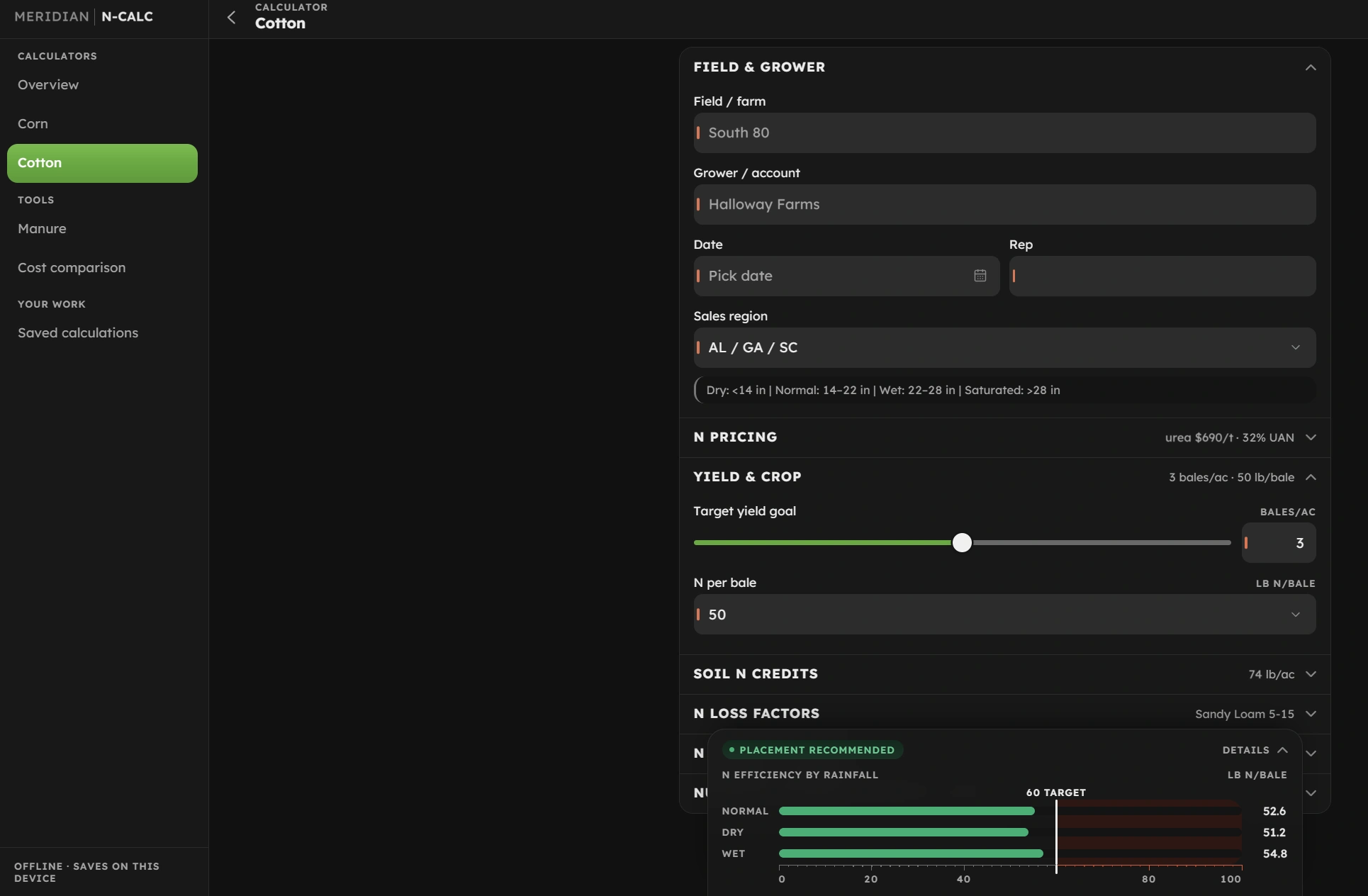
The cotton calculator: field and grower inputs, nitrogen pricing, a target yield goal on a slider, soil nitrogen credits and loss factors, with a panel reading out nitrogen efficiency by rainfall against the program target.
Sample data The cotton side. Everything the recommendation depends on sits on one screen, and the efficiency readout moves as you change it.

National VoIP provider

Live quote builder

Replaced
A rep doing the math on a notepad while the customer waited
Runs on
The rep's laptop, in front of the customer
Used by
The sales floor
Status
Live

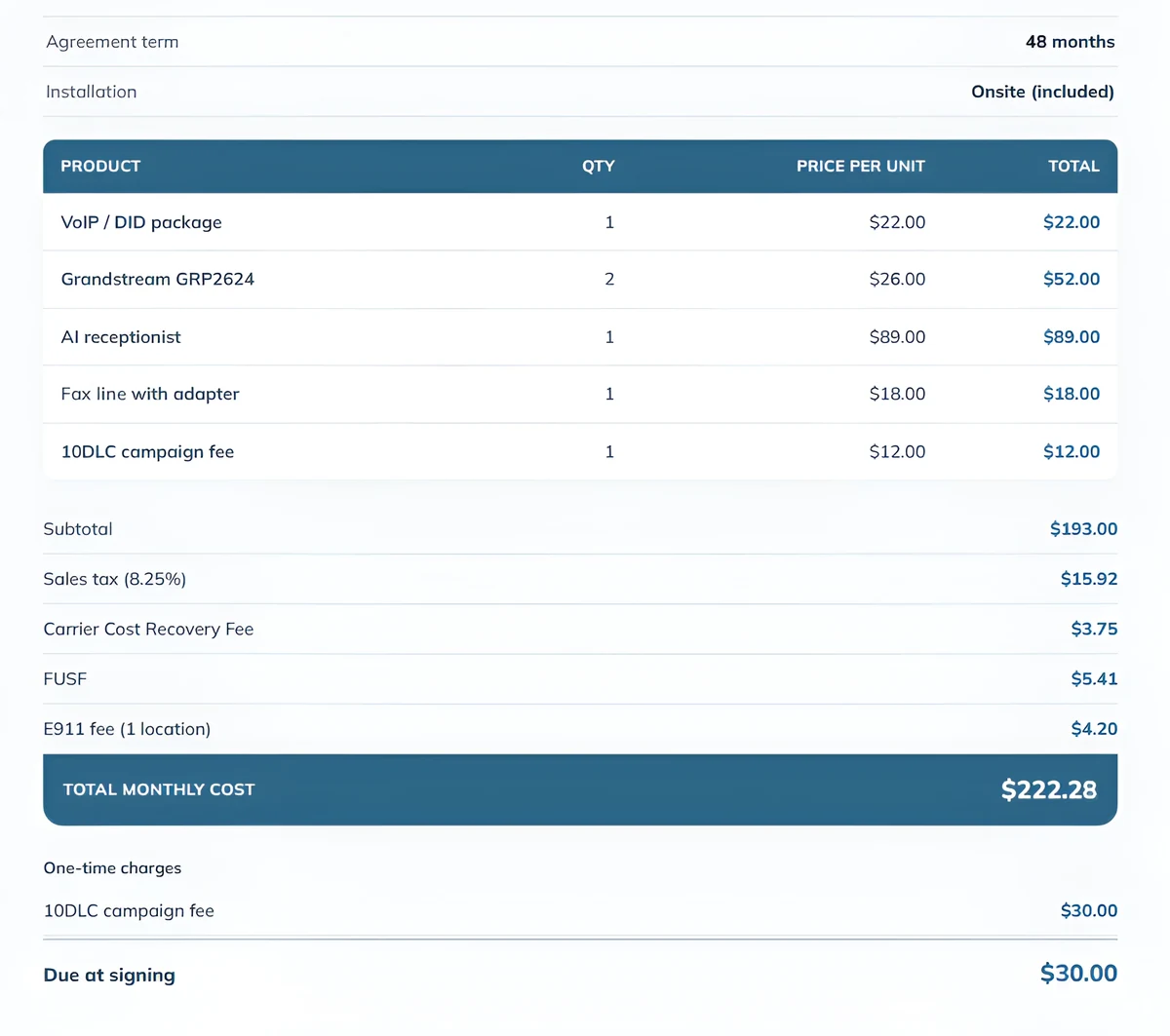
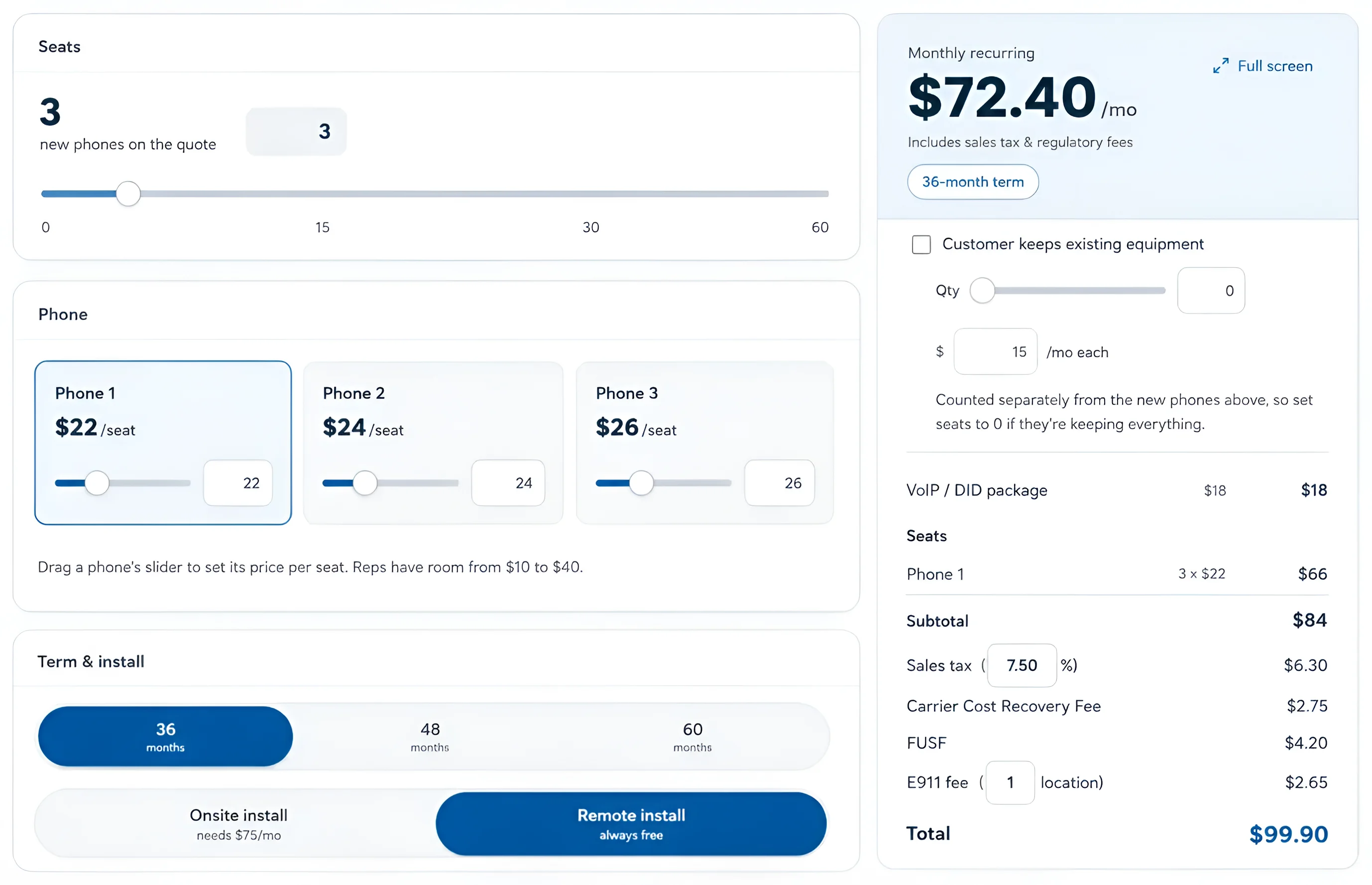
Seats, phone model, per-seat price inside the rep's own authority, term length, install type, and equipment the customer is keeping. Tax and every regulatory fee are carried through, so the number on screen is the number on the invoice. It recalculates on the drag, which means the rep can answer what if we did forty-eight months without ending the call.

The quote summary: a forty eight month agreement term, five line items with quantity and unit price, then a subtotal, sales tax and three regulatory fees carried through to a single total monthly cost.
Sample data What the customer signs. Tax and every regulatory fee are carried through, so this number is the invoice.
Quote builder with seat count, phone selection, term and install options on the left, and an itemized monthly total with tax and regulatory fees on the right.
Sample data Monthly recurring total, tax and fees included, updating as the rep moves a slider.

Pool construction and service company

Pool CRM and job management

Covers
Customer records, the deal pipeline, job management, service, and quoting
Also does
Geocoded soil lookup against the USDA survey, for pier count and permit jurisdiction
Replaced
A quoting spreadsheet, a separate customer list, and a job board
Used by
Sales, the office, and service crews
Status
Live

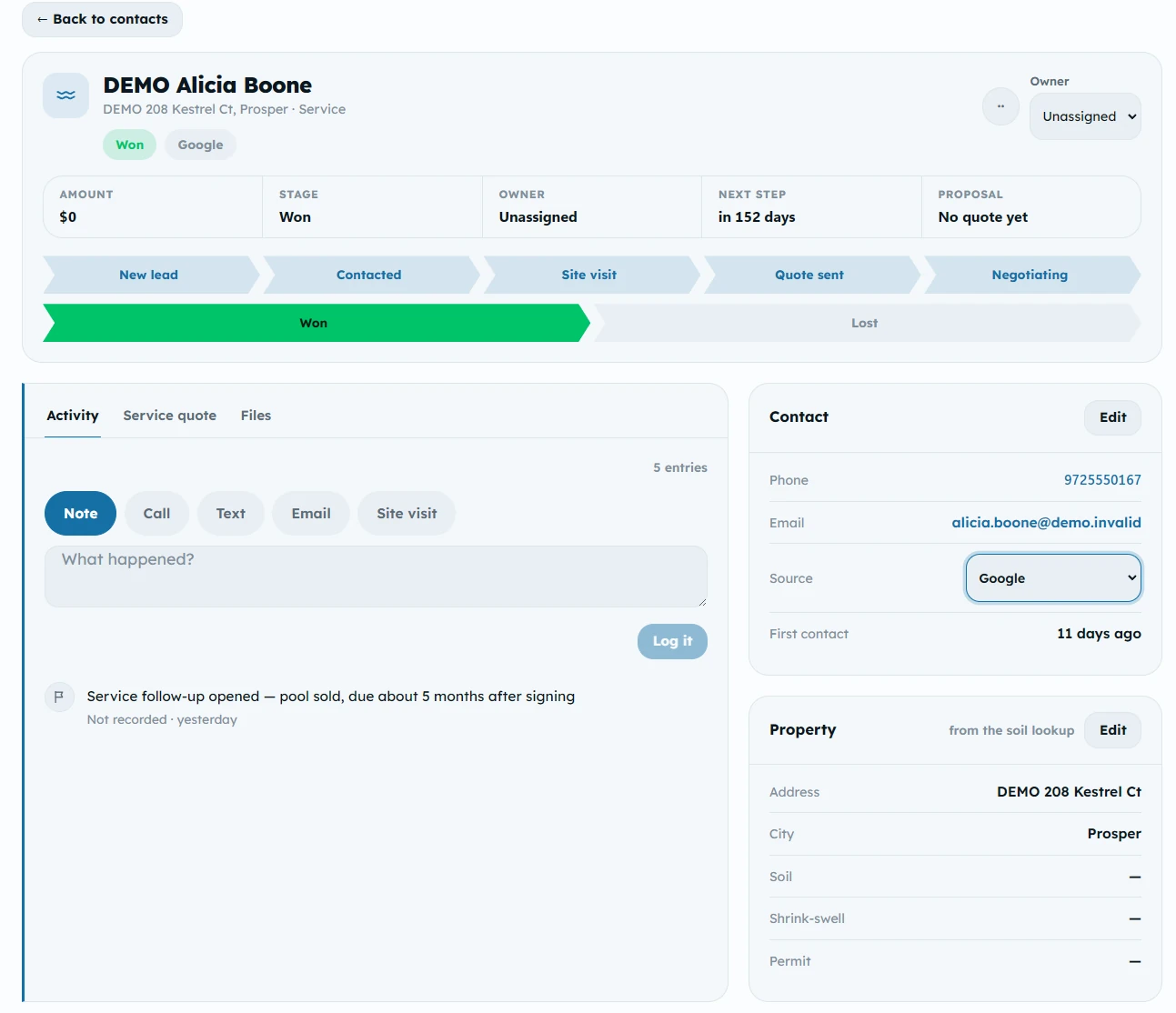
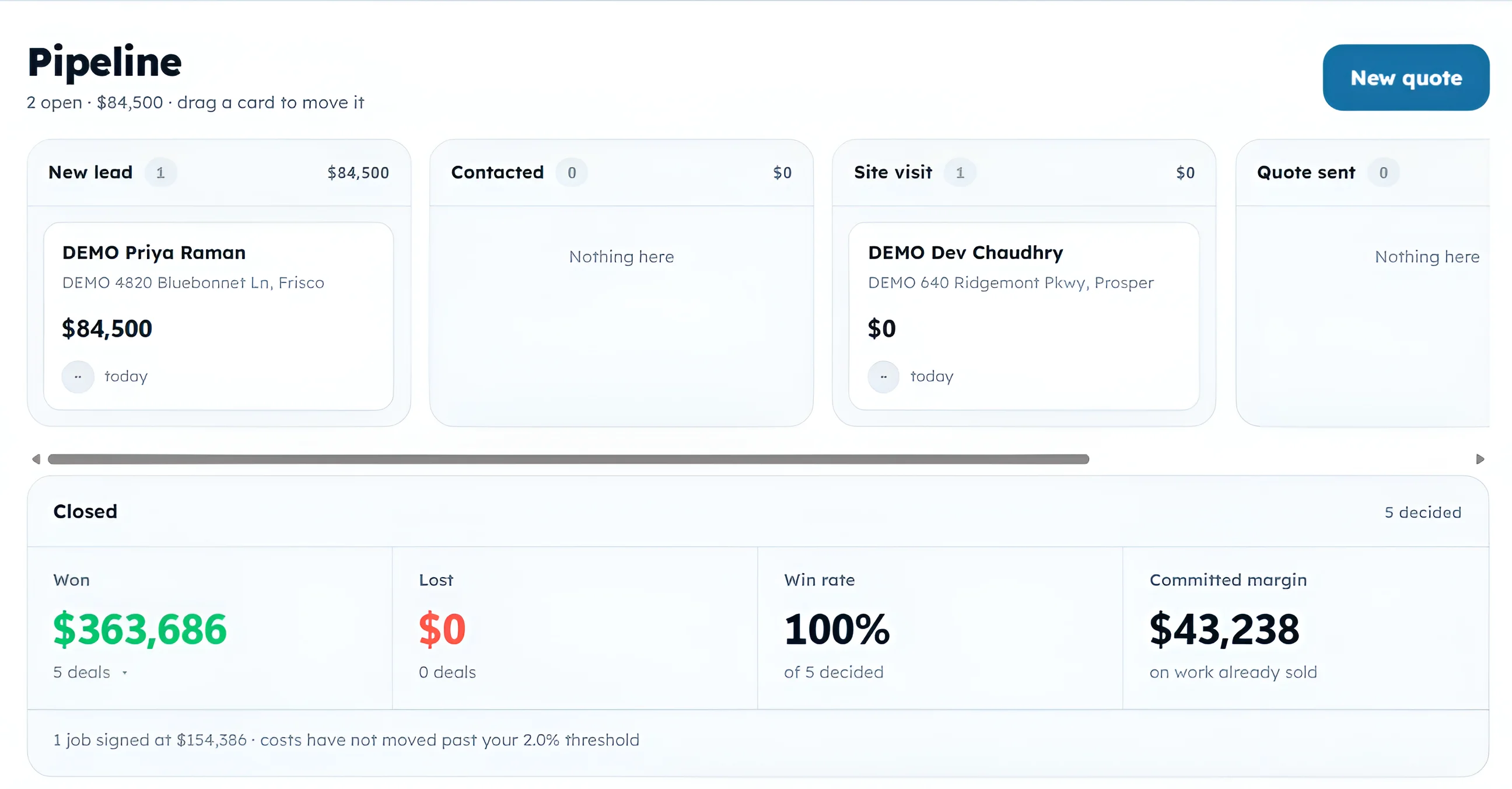
Every lead lands on a board and gets dragged across it, so nobody has to remember who was called and who was not. Each deal carries its own contact, the log of everything anyone did about it, and the property the pool will sit on.

Won work becomes a job with its own checklists and schedule, and the service history attaches to the pool once it is in the ground. All of it hangs off a single customer record, so the address, the soil class and the permit jurisdiction are still on file when a crew goes back out three years later.

One customer record: the deal marked won, a stage rail running from new lead through to won, an activity log with a service follow-up note, and panels carrying the contact details and the property the pool sits on.
Sample data One record holds the deal, everything anyone did about it, and the property it sits on.
Pipeline board with deals sorted into new lead, contacted, site visit and quote sent columns, above a closed panel reporting amount won, amount lost, win rate, and committed margin on work already sold.
Sample data Deals move by dragging. What closes gets reported back as win rate, committed margin, and where the work came from.

Sample sites

On top of internal apps, I can also build your business a website. Each one loads fast on mobile, follows accessibility standards, and has proper SEO optimization.

Fictional clients All businesses, phone numbers, and addresses on these three sites are made up. They exist as demos for this showcase.
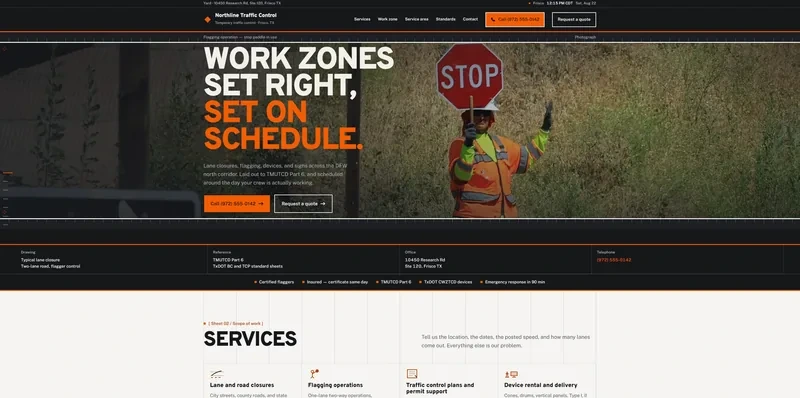
Northline Traffic Control home page: a flagger holding a stop paddle behind the headline Work zones set right, set on schedule.

Northline Traffic Control

Temporary traffic control · Frisco, TX

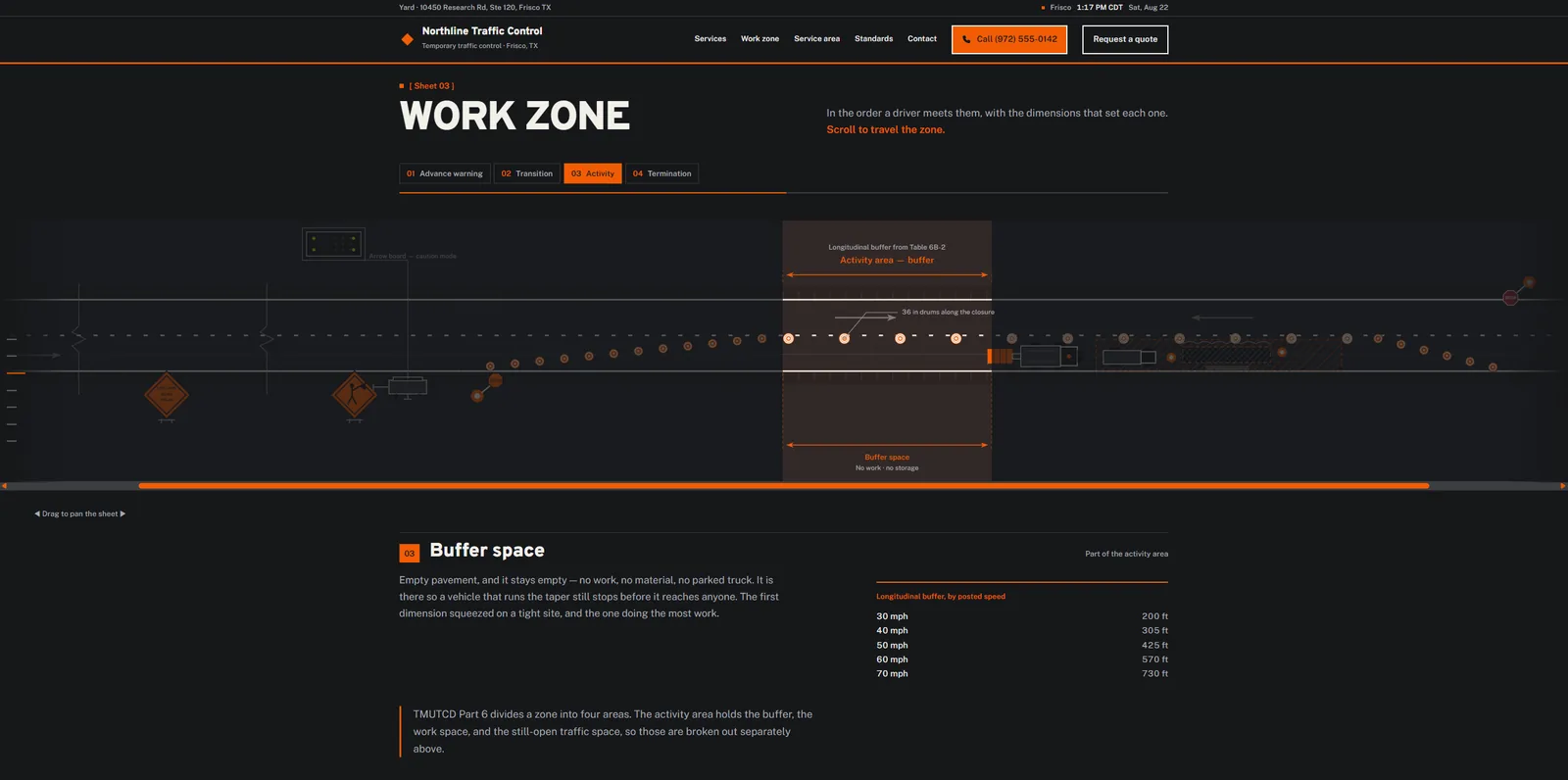
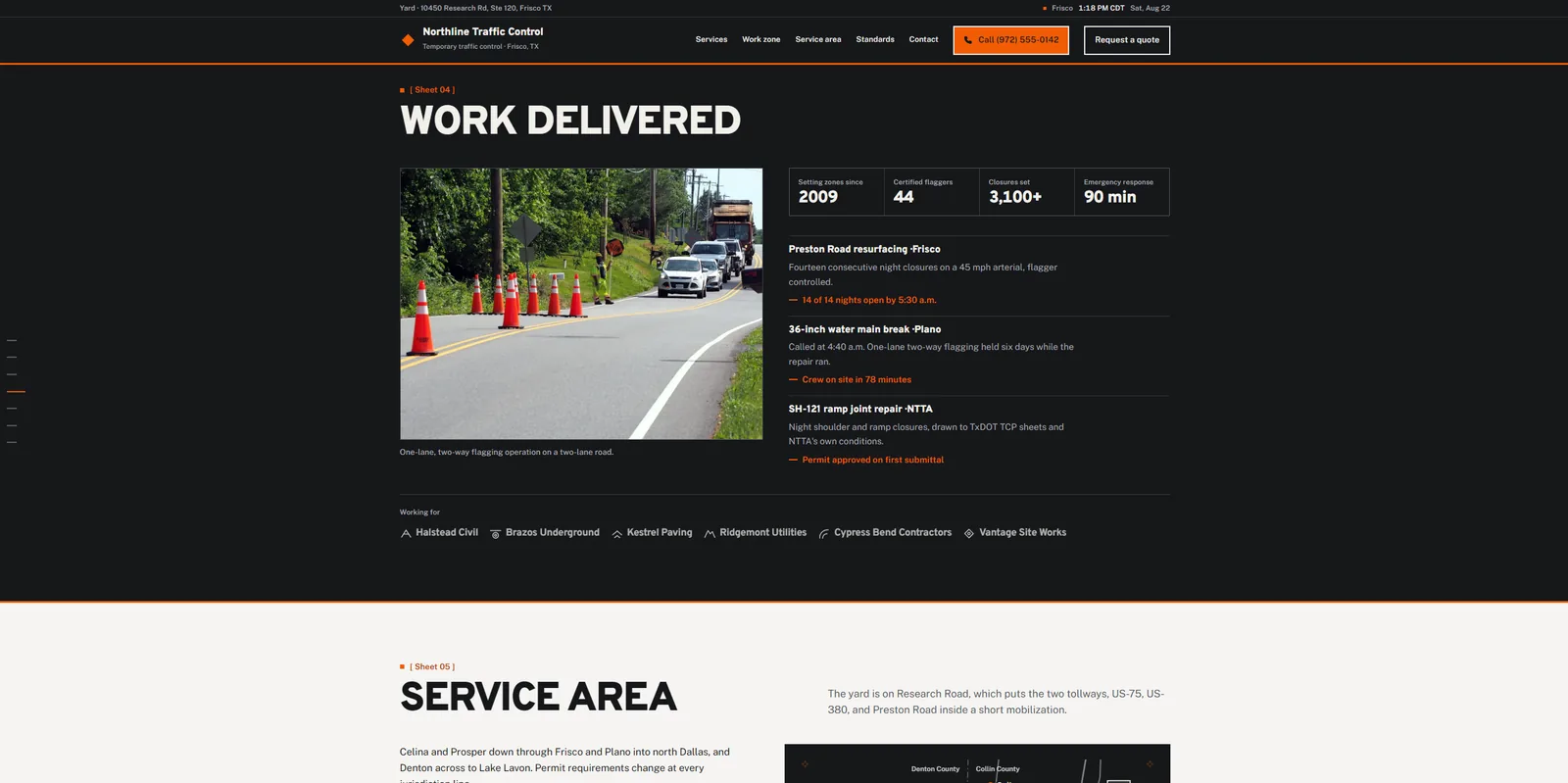
A scroll-driven work zone sheet that walks the four areas in the order a driver meets them, with the real buffer distances by posted speed sitting next to the drawing.
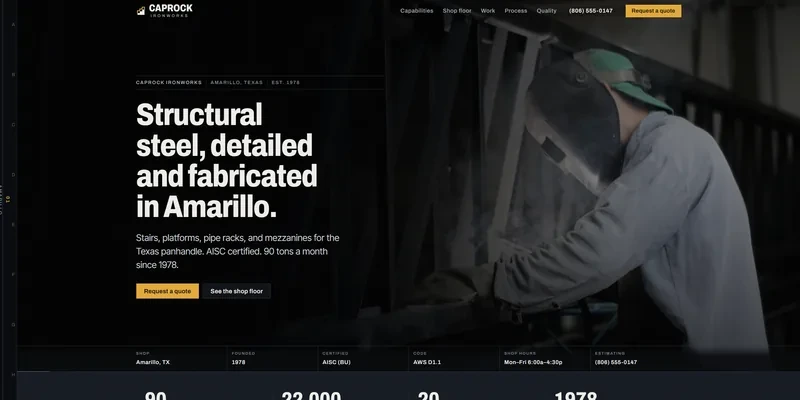
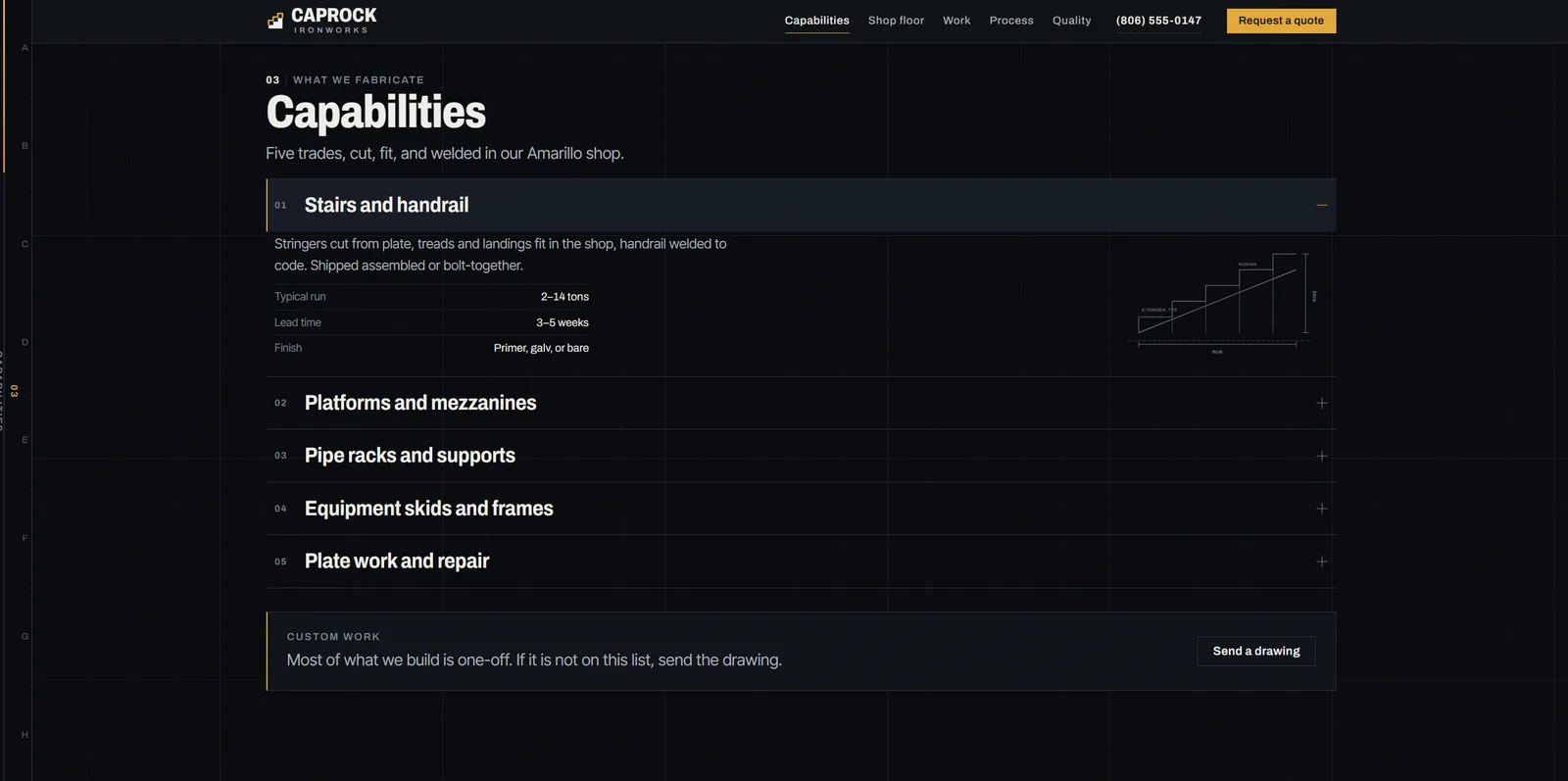
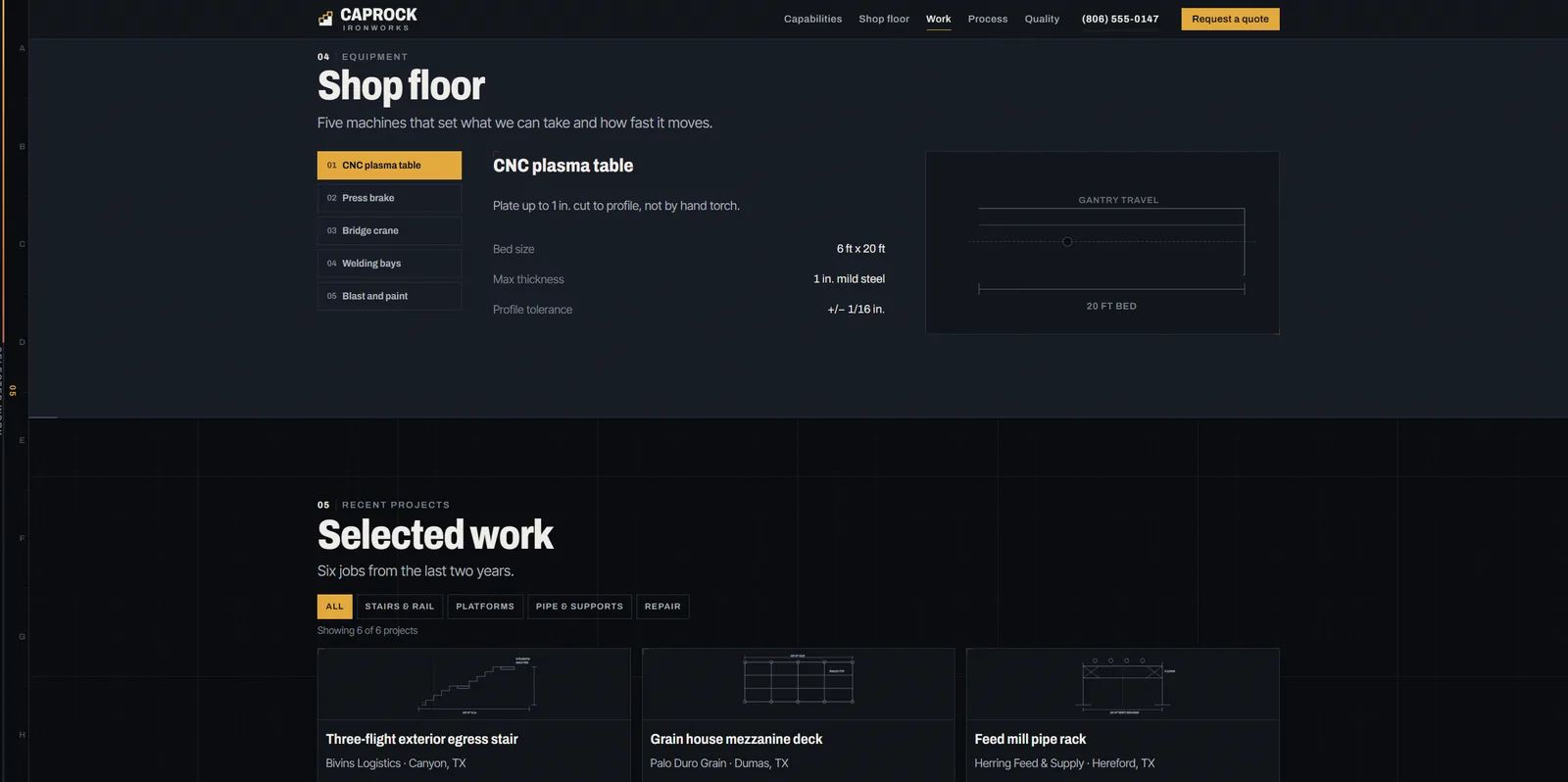
Caprock Ironworks home page: a welder at work behind the headline Structural steel, detailed and fabricated in Amarillo.

Caprock Ironworks

Structural steel fabrication · Amarillo, TX

Capabilities that open to tonnage, lead time, and finish, each with the shop drawing beside it. A buyer can size a job before anyone picks up a phone.
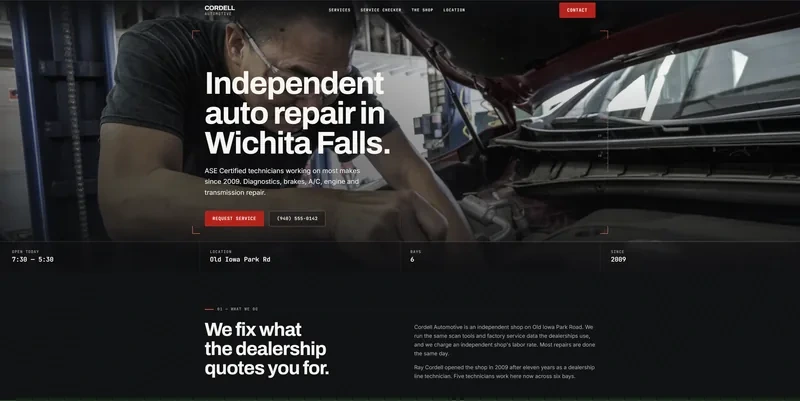
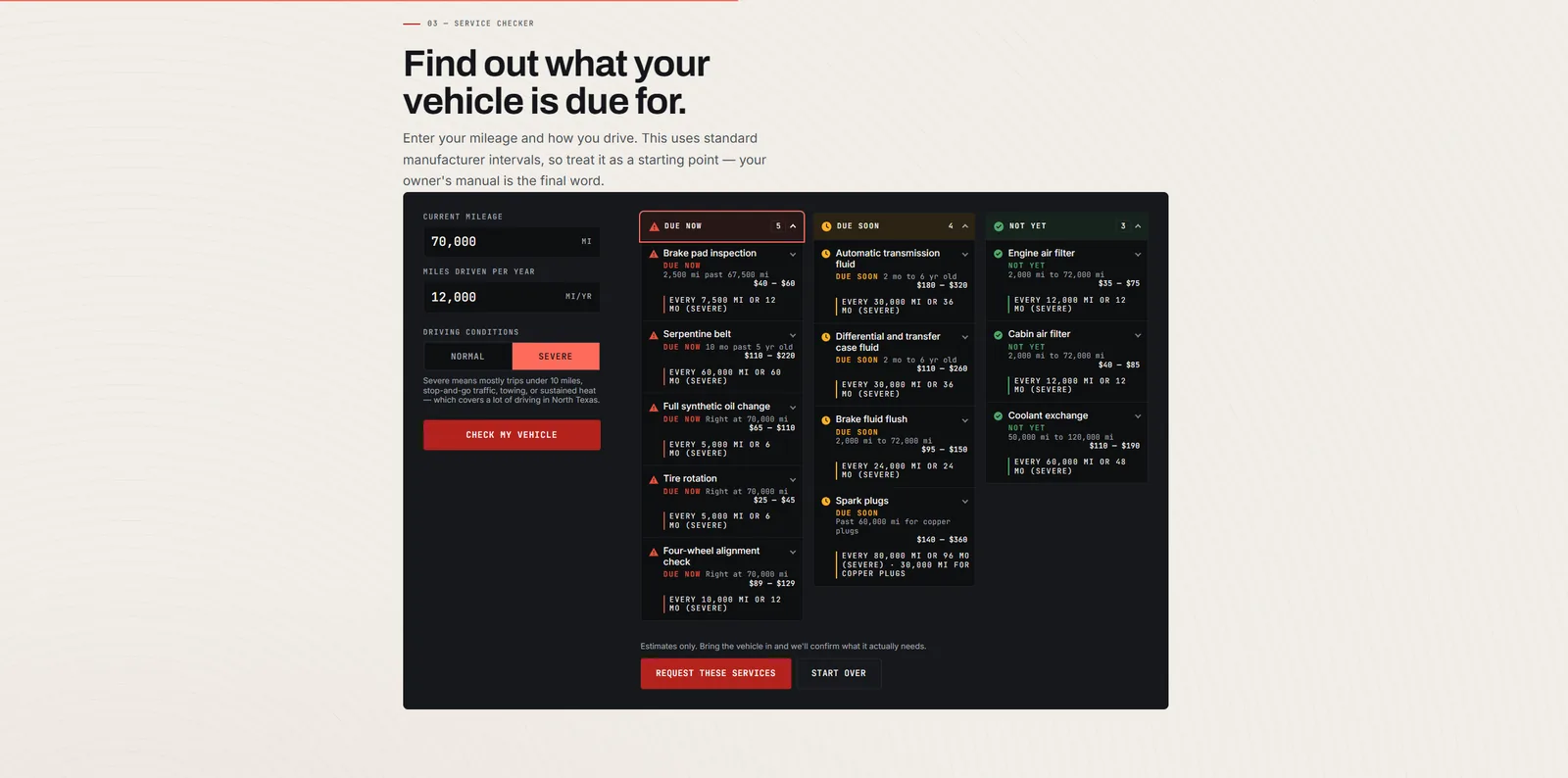
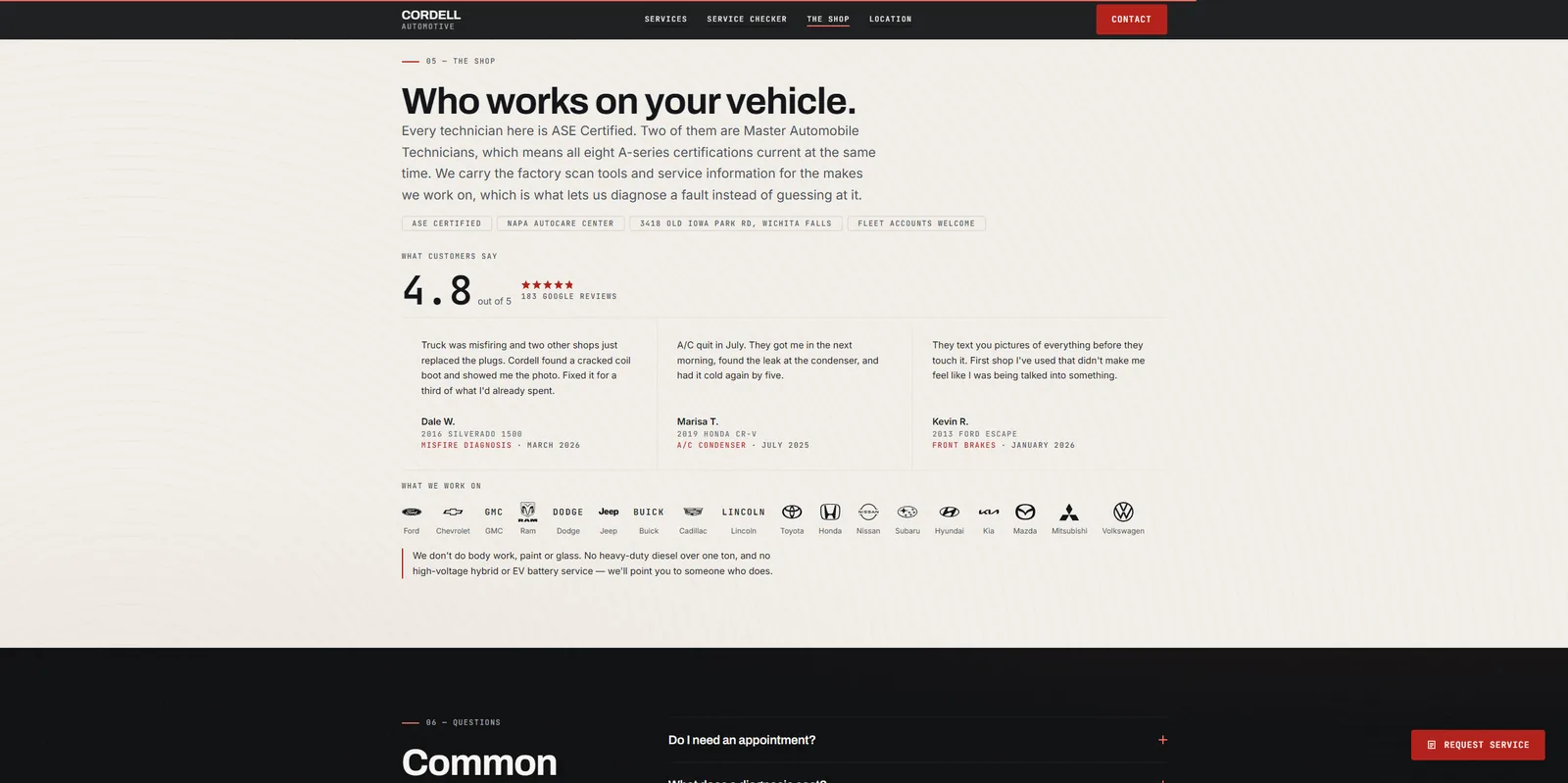
Cordell Automotive home page: a technician working under a hood behind the headline Independent auto repair in Wichita Falls.

Cordell Automotive

Independent auto repair · Wichita Falls, TX

Enter mileage and how you drive, and it sorts services into due now, due soon, and not yet, with a price range on each. The customer arrives already knowing what they came for.
Websites start around $600, depending on how much of the site needs to actually do something. Internal tools are quoted flat, per project, once we have talked about the job.

Working together

How a project runs

The same four steps every time, whether it is a five-page site or a system your whole office runs on. You will know the price before I start and you will see the thing working long before it is done.

  1. 01

    You show me the current version

    The spreadsheet, the paper form, the process one person carries in their head. I want the real one, mess included. That is where the requirements actually live.

  2. 02

    A flat price, in writing

    One number for the whole project, with what is in it and what is not. No hourly meter, and no change-order arithmetic every time you ask a question.

  3. 03

    You use it before it is finished

    You get a working link early and often. Software gets judged by the person doing the job, not by a spec document, so we find out early if it is wrong.

  4. 04

    It ships, and it stays yours

    You get the code and the accounts. If you want me to keep maintaining it, good. But that is a decision, not a dependency.

Start a project

Tell me what your people
are doing by hand.

A short description is enough to start. If it is a fit I will tell you what it takes. If it is not, I will tell you that too.

Start a project